




JB
Muke Johnbaptist
Go (Golang) expert · Creator of the Grit Framework
The Top 8 Open Source Projects by JB You Didn't Know Existed
From Grit Framework and GritCMS to Pulse, Orbita, Sentinel, GORM Studio, VibeKit, and the JB Component Registry — a deep dive into 8 production-ready open source tools built in Go and Next.js by Muke Johnbaptist (JB).
The Top 8 Open Source Projects by JB You Didn't Know Existed
By Muke Johnbaptist (JB) - Founder & CEO, Desishub Technologies
From Uganda to the world, JB (Muke Johnbaptist) has built an impressive portfolio of open source tools that solve real developer problems. A fullstack developer specializing in Next.js and Golang, JB has created frameworks, security tools, deployment platforms, and component libraries that are production-ready and actively maintained. Here are 8 groundbreaking projects you should know about.
1. Grit Framework - Full-Stack Meta-Framework
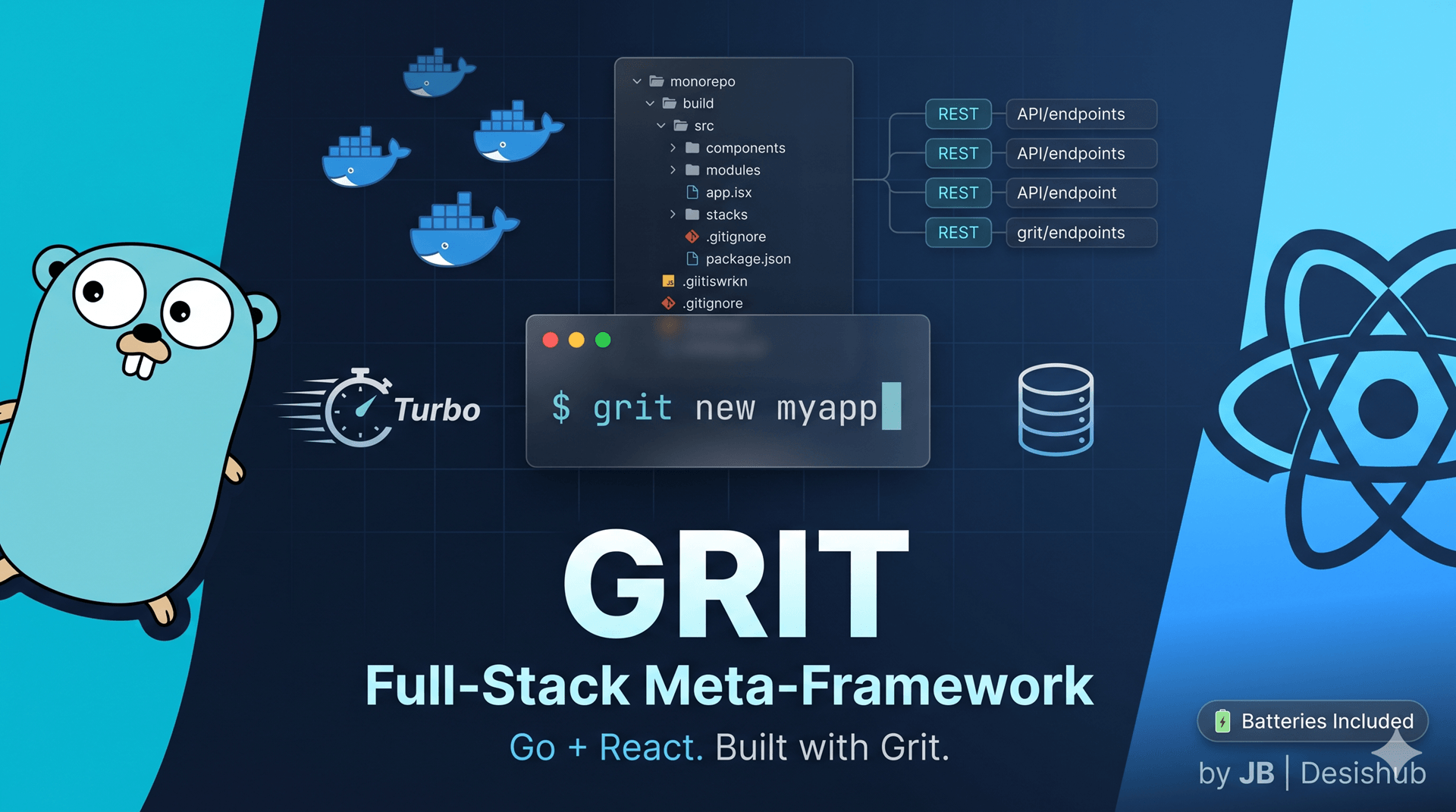
What It Is: Grit is a full-stack meta-framework that combines Go (Gin + GORM) with Next.js (React + TypeScript) in a single monorepo. Think of it as a batteries-included framework that gives you everything you need to build production APIs with frontend apps.
The Problem It Solves
Most developers waste hours setting up the same infrastructure: authentication, database models, admin panels, Docker configs, API routes, and frontend state management. Grit eliminates this setup tax by scaffolding a complete, production-ready project with one command.
Key Features
- One Command Scaffold:
grit new myappcreates a complete monorepo with Go API, Next.js frontend, and admin panel - Built-in Authentication: JWT-based auth with register, login, refresh tokens, and role-based access control
- GORM Studio Integration: Visual database browser at
/studiofor managing your data - Dark Theme UI: Premium dark mode across all generated apps
- Docker Ready: Production and development Docker Compose setups included
- Turborepo Monorepo: Shared types, Zod schemas, and constants across apps
Tech Stack
| Layer | Technology |
|---|---|
| Backend | Go 1.22+ with Gin and GORM |
| Frontend | Next.js 14 App Router + React |
| Database | PostgreSQL 16 |
| Cache | Redis 7 |
| Validation | Zod schemas |
| Data Fetching | React Query |
| Styling | Tailwind CSS + shadcn/ui |
Installation & Quick Start
# Install CLI
go install github.com/MUKE-coder/grit/cmd/grit@latest

# Create new project
grit new myapp

# Start infrastructure
cd myapp
docker compose up -d

# Start API
cd apps/api && go run cmd/server/main.go

# Start frontend
cd apps/web && pnpm devURLs Generated:
- Web App:
http://localhost:3000 - Admin Panel:
http://localhost:3001 - Go API:
http://localhost:8080 - GORM Studio:
http://localhost:8080/studio - Mailhog (dev):
http://localhost:8025
Use Cases
- SaaS Platforms: Build multi-tenant applications with separate backend and frontend
- Admin Dashboards: Need a CRUD admin panel? It's already built
- API-First Apps: Generate just the API with
grit new myapp --api - Rapid Prototyping: Go from idea to working prototype in minutes
Why It Matters
Grit saves you weeks of boilerplate setup. You get type-safe APIs, modern React patterns, proper authentication, database tooling, and Docker configs right out of the box. It's like Create React App but for full-stack applications.
GitHub: https://github.com/MUKE-coder/grit
2. GritCMS - Self-Hosted Creator Operating System
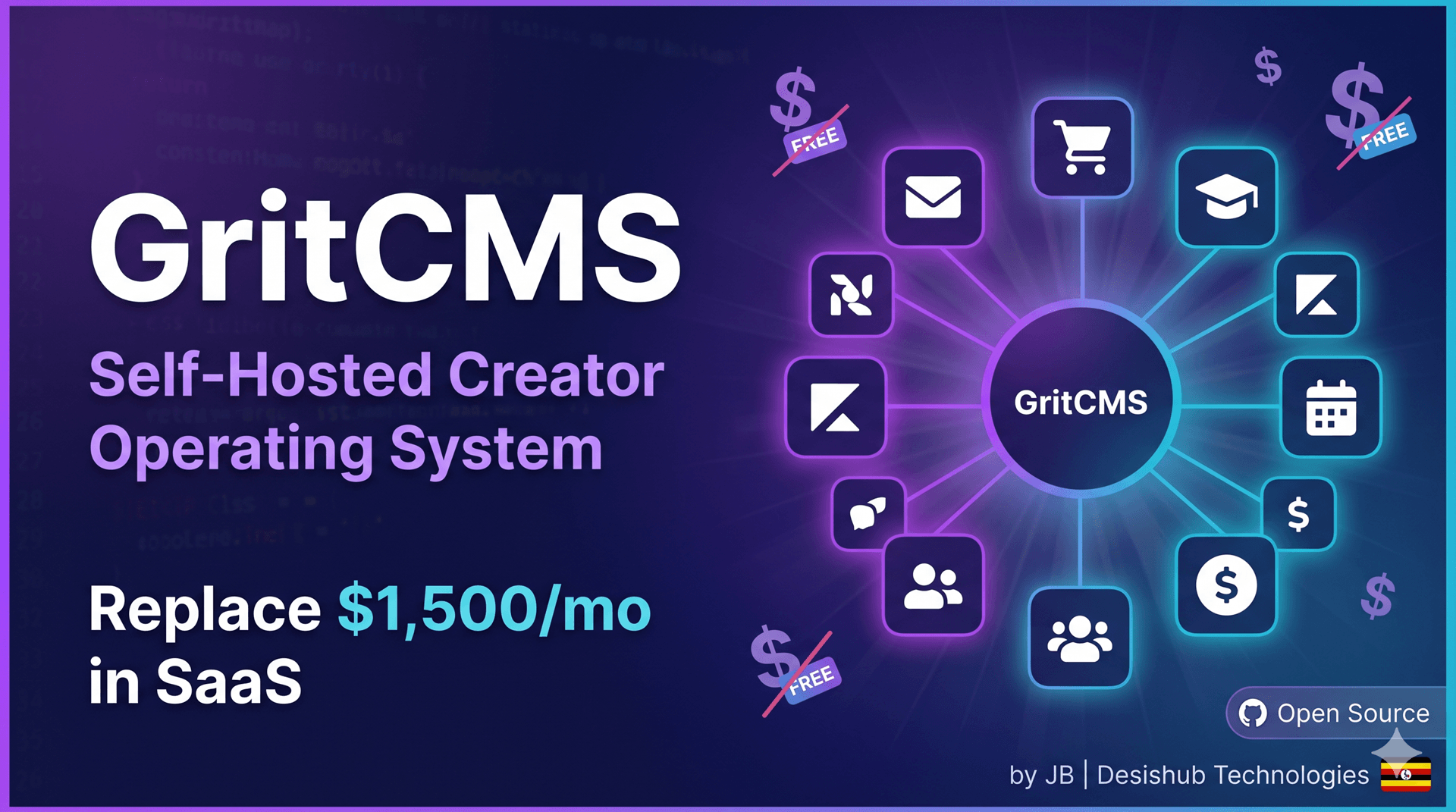
What It Is: GritCMS is a self-hostable, open-source platform that replaces 10-15 SaaS tools (Kajabi, ConvertKit, Circle, Calendly, Shopify) that creators typically pay $700-1,500+/month for. It's a complete Creator Operating System built on the Grit Framework.
The Problem It Solves
Online creators, course creators, coaches, and digital entrepreneurs are stuck paying massive monthly fees to multiple SaaS platforms. GritCMS consolidates all these tools into one self-hosted platform you control completely.
What's Included
Website & Content
- Page builder with navigation menus, themes, and SEO
- Blog with categories, tags, and comments
- Custom domain support with automatic TLS
Email Marketing
- Email lists and subscriber management
- Campaign builder with templates
- Automated email sequences
- Analytics dashboard
Course Platform
- Course creation with modules and lessons
- Video and text content support
- Student enrollments and progress tracking
- Drip content scheduling
- Certificate generation
E-Commerce
- Product catalog with variants
- Order management and fulfillment
- Coupon system
- Subscription billing
- Payment gateway integration
CRM & Community
- Contact management with tags and segments
- Community spaces with discussions
- Event scheduling and management
- Member activity tracking
Sales & Marketing
- Multi-step sales funnels
- Landing page builder
- Conversion tracking
- Affiliate program management
Automation
- Visual workflow builder
- Trigger-based actions
- Webhook integrations
- Scheduled tasks
Booking System
- Calendar management
- Event types with availability rules
- Public booking pages
- Appointment reminders
AI Integration
- Content generation
- Email subject optimization
- SEO meta descriptions
- Course summaries
Tech Stack
Built on Go (Gin + GORM) backend and Next.js frontend, deployed via Docker Compose with PostgreSQL, Redis, MinIO, and Traefik reverse proxy.
Deployment Options
1. Dokploy (Recommended) One-click deploy to any VPS with automatic SSL and domain management.
2. Docker Compose Full control deployment on any server with Docker installed.
3. VPS Direct Binary installation with systemd service management.
Installation (Dokploy Method)
# SSH into your VPS
ssh user@your-vps-ip

# Install Dokploy
curl -sSL https://dokploy.com/install.sh | sh

# Access dashboard at http://YOUR_VPS_IP:3000
# Create project, add GritCMS compose file
# Configure domains and SSL
# DeployUse Cases
- Course Creators: Sell and deliver online courses without Teachable fees
- Coaches & Consultants: Manage clients, bookings, and content in one place
- Content Creators: Build email lists, publish content, sell products
- Digital Entrepreneurs: Launch membership sites and info products
- Small Agencies: Offer creator platform as a service to clients
Cost Savings
Monthly Comparison:
- Kajabi: $149-399/mo
- ConvertKit: $29-79/mo
- Circle: $39-99/mo
- Calendly: $12-16/mo
- Shopify: $29-299/mo
- GritCMS: $4-24/mo (VPS cost only)
GitHub: https://github.com/MUKE-coder/gritcms
3. Pulse - Observability & Performance Monitoring
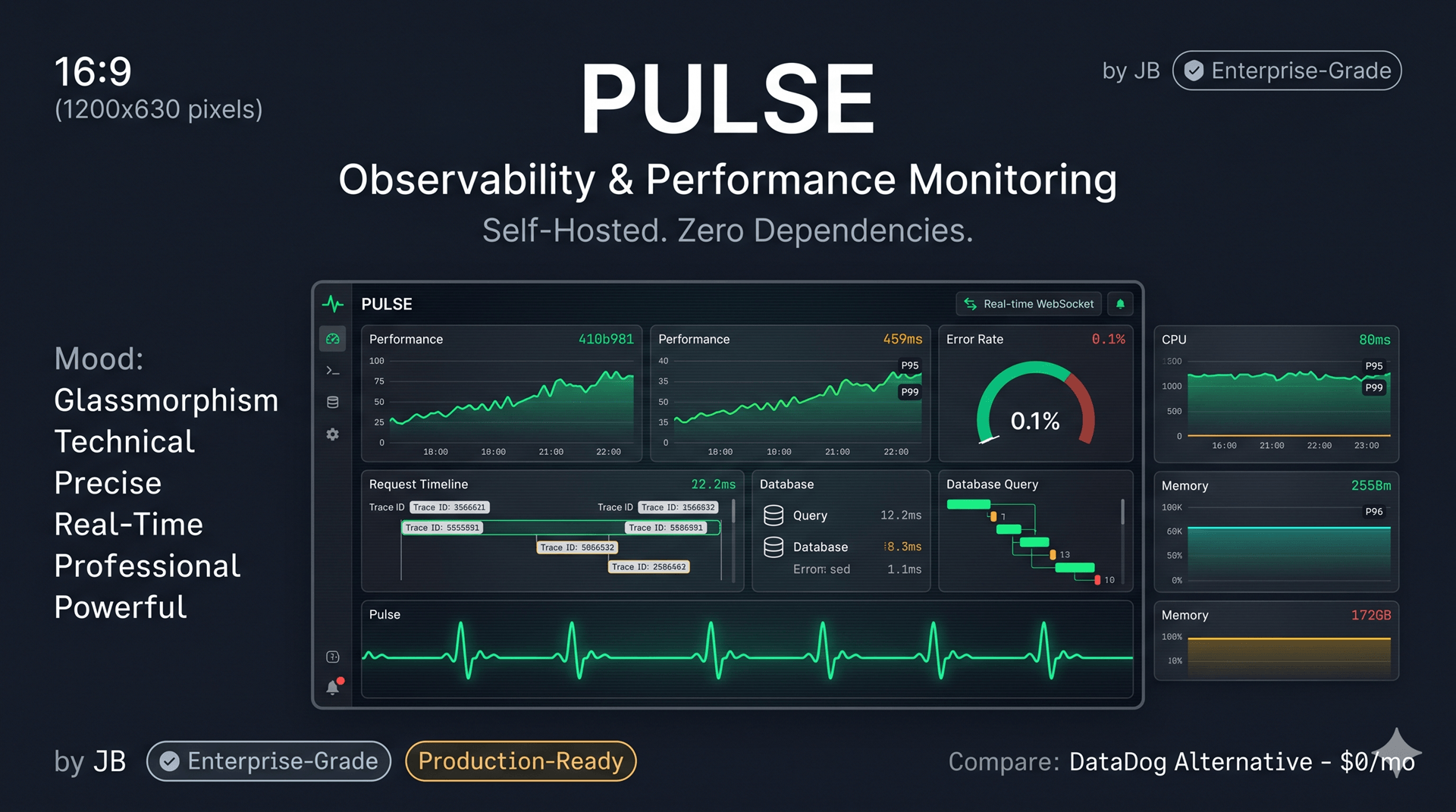
What It Is: Pulse is a self-hosted observability and performance monitoring SDK for Go applications. It provides request tracing, database query analysis, runtime metrics, error tracking, and a real-time dashboard — all mountable with a single function call.
The Problem It Solves
Production applications need monitoring, but most developers don't want to pay $50-500/month for DataDog, New Relic, or Sentry. Pulse gives you enterprise-grade observability that runs in your own infrastructure with zero external dependencies.
Key Features
Request Tracing
- Automatic trace ID generation and propagation
- Latency tracking with percentiles (P50/P95/P99)
- Slow request detection
- Configurable sampling rates
Database Monitoring
- GORM plugin captures every query
- Query duration and caller tracking (file:line)
- N+1 query detection
- Connection pool statistics
Runtime Metrics
- Heap memory, goroutines, GC pauses
- Goroutine leak detection
- System resource tracking
Error Tracking
- Panic recovery with full stack traces
- Request body capture on errors
- Error fingerprinting for deduplication
- Automatic error classification
Health Checks
- Pluggable health check system
- Kubernetes-compatible endpoints (
/live,/ready) - Dependency monitoring
- Flapping detection
Alerting
- Threshold-based rules
- Multi-channel notifications (Slack, Discord, Email, Webhooks)
- Two-phase firing to prevent false alerts
- Cooldown periods
Dashboard
- Embedded React SPA (no separate frontend needed)
- 8 pages: Overview, Routes, Database, Errors, Runtime, Health, Alerts, Settings
- Real-time WebSocket updates
- Export data as JSON/CSV
Installation & Usage
package main

import (
    "github.com/MUKE-coder/pulse/pulse"
    "github.com/gin-gonic/gin"
    "gorm.io/gorm"
)

func main() {
    db, _ := gorm.Open(/* your DB config */)
    router := gin.Default()

    // One line to add complete observability
    pulse.Mount(router, db, pulse.Config{
        AppName: "My API",
        DevMode: true,
    })

    router.GET("/api/users", func(c *gin.Context) {
        // Your handler - Pulse tracks everything automatically
    })

    router.Run(":8080")
    // Dashboard: http://localhost:8080/pulse/ui
    // Default login: admin / pulse
}Advanced Configuration
pulse.Mount(router, db, pulse.Config{
    Dashboard: pulse.DashboardConfig{
        Username: "admin",
        Password: "secure-password",
    },

    Storage: pulse.StorageConfig{
        Driver: pulse.SQLite,
        DSN: "pulse.db",
        RetentionDays: 90,
    },

    Alerts: pulse.AlertConfig{
        Slack: &pulse.SlackConfig{
            WebhookURL: os.Getenv("SLACK_WEBHOOK"),
        },
        Rules: []pulse.AlertRule{
            {
                Name: "high_latency",
                Metric: "p95_latency",
                Operator: ">",
                Threshold: 2000, // ms
                Duration: 5 * time.Minute,
                Severity: "critical",
            },
        },
    },

    Prometheus: pulse.PrometheusConfig{
        Enabled: true,
        Path: "/metrics",
    },
})Use Cases
- Production APIs: Monitor performance and errors in real-time
- Microservices: Track dependencies and latencies across services
- Database-Heavy Apps: Detect N+1 queries and slow queries
- DevOps Teams: Get alerts on Slack for critical issues
- Cost-Conscious Teams: Avoid $500/mo monitoring bills
Why It's Better Than SaaS
- Zero External Dependencies: Everything runs in-process
- Complete Data Ownership: Your metrics stay on your servers
- No Per-Seat Fees: Monitor unlimited services
- Embedded Dashboard: No separate frontend deployment
- Under 50MB RAM: Minimal resource footprint
GitHub: https://github.com/MUKE-coder/pulse
4. Orbita - Self-Hosted Multi-Tenant PaaS
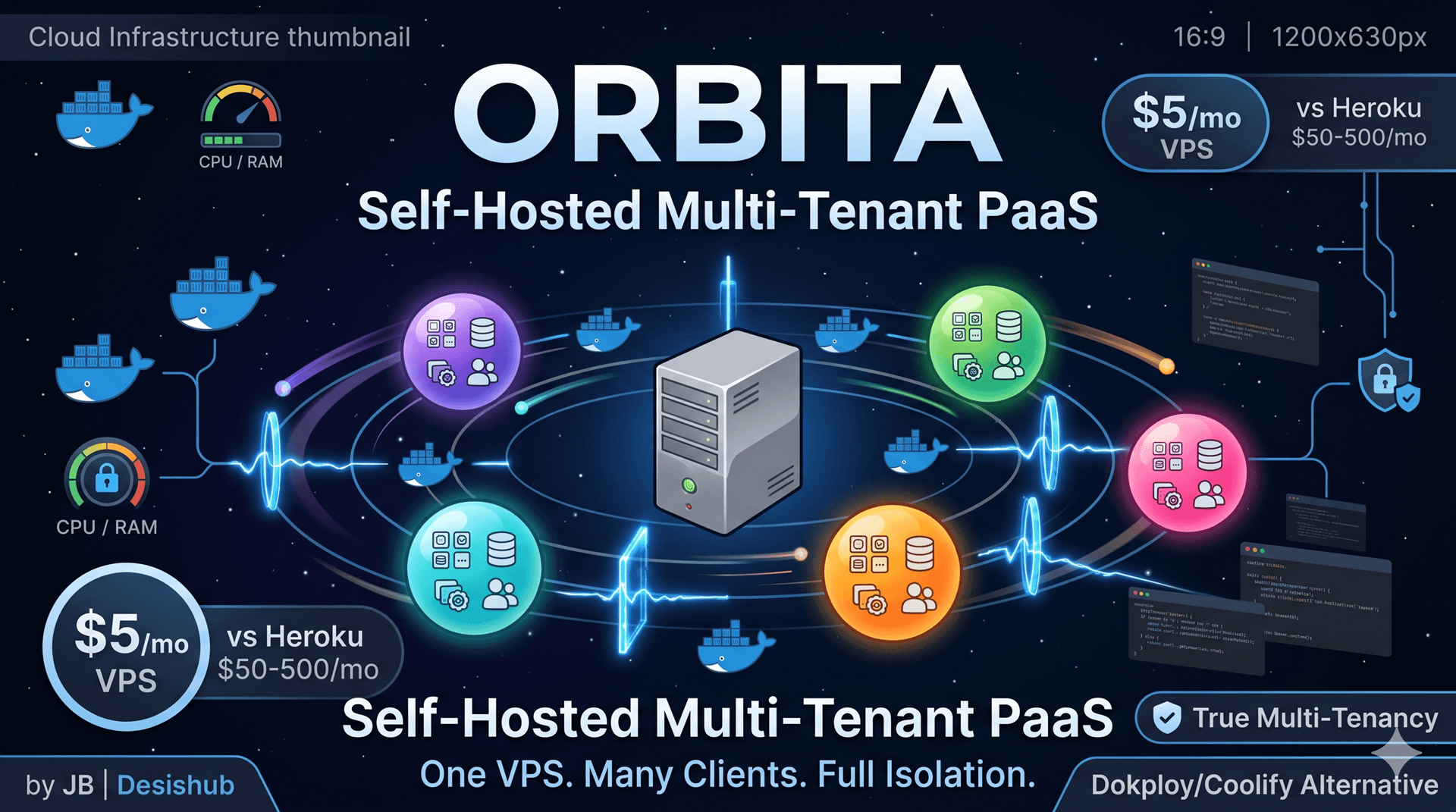
What It Is: Orbita is an open-source, self-hosted Platform-as-a-Service (PaaS) that enables you to manage multiple client organizations on a single VPS. Each organization gets complete isolation with their own dashboard, projects, environment variables, secrets, databases, and resource quotas.
The Problem It Solves
Developers, freelancers, and agencies manage infrastructure for multiple clients but existing PaaS solutions either lack multi-tenancy (Dokploy, Coolify) or charge per-seat fees (Heroku, Render). Orbita turns one VPS into a fully isolated hosting environment for unlimited clients.
What Makes Orbita Unique
True Multi-Tenancy Unlike Dokploy or Coolify, Orbita provides complete tenant isolation:
- Separate Docker networks per organization
- Isolated encryption keys per tenant
- Database-level data scoping
- Per-organization resource quotas via cgroups
4-Role RBAC System
- Owner: Full control
- Admin: Manage apps and users
- Developer: Deploy and view
- Viewer: Read-only access
Working Invite System Cryptographically secure email invites with 72-hour expiry (something competitors struggle with).
Core Features
Application Deployment
- Docker image deployment from any registry
- Git auto-deploy with webhook support
- Build from Dockerfile or Nixpacks
- Zero-downtime rolling updates
- Version rollback to any previous deployment
Database Management
- One-click provisioning: PostgreSQL, MySQL, MariaDB, MongoDB, Redis
- Auto-generated strong credentials
- Scheduled backups (hourly/daily/weekly)
- Point-in-time restore
Cron Jobs
- Schedule containers on cron expressions
- Concurrency policies (Allow/Forbid/Replace)
- Run history with logs
- Manual trigger support
Resource Management
- Super admin defines resource plans
- CPU and memory limits enforced via cgroup v2
- Disk quota management
- App count limits per plan
Service Marketplace 10 pre-built templates: WordPress, Plausible, Uptime Kuma, n8n, Metabase, Grafana, MinIO, Gitea, Ghost CMS, Vaultwarden
Security
- JWT authentication with refresh tokens
- AES-256-GCM encrypted secrets
- Per-org HKDF-derived keys
- Rate limiting with Redis
- Audit logging of all actions
Tech Stack
Backend: Go 1.22+, Gin, GORM, PostgreSQL, Redis, Docker SDK
Frontend: React 18, TypeScript, Vite, Tailwind CSS, shadcn/ui
Infrastructure: Docker Swarm, Traefik (TLS + reverse proxy)
Binary Size: ~30MB
Idle Memory: <50MB
Installation
Quick Install (Recommended):
curl -sSL https://raw.githubusercontent.com/MUKE-coder/orbita/main/install.sh | sudo bashThis script installs Docker, initializes Swarm, generates secrets, and starts all services.
Manual Docker Compose:
mkdir -p /opt/orbita && cd /opt/orbita
curl -sSL https://raw.githubusercontent.com/MUKE-coder/orbita/main/docker/docker-compose.prod.yml -o docker-compose.yml

# Generate secrets
cat > .env << EOF
DB_PASSWORD=$(openssl rand -hex 16)
JWT_SECRET=$(openssl rand -hex 32)
ENCRYPTION_MASTER_KEY=$(openssl rand -hex 16)
APP_BASE_URL=https://orbita.yourdomain.com
EOF

docker compose up -dComparison with Alternatives
| Feature | Orbita | Dokploy | Coolify |
|---|---|---|---|
| Multi-tenancy | ✅ | ❌ | ❌ |
| Resource quotas (cgroups) | ✅ | ❌ | ❌ |
| Working invite system | ✅ | ❌ | Partial |
| RBAC (4 roles) | ✅ | ❌ | ❌ |
| Cron job manager | ✅ | ❌ | ❌ |
| Single binary | ✅ | ❌ | ❌ |
| Idle memory | <50MB | ~200MB | ~500MB |
Use Cases
- Freelancers: Host all client projects on one $5/month VPS
- Agencies: Isolate each client with their own org and quotas
- SaaS Providers: Offer PaaS as a service with white-label dashboard
- Bootstrapped Startups: Avoid $50-500/mo PaaS bills
- Multi-Project Developers: Organize personal projects by "client"
Deployment Steps
- Provision VPS: Hetzner CX22 (2 vCPU, 4GB, €4.50/mo) recommended
- Run installer: One command installs everything
- Configure DNS: Point domain and
*.domainto server IP - Register: First user becomes super admin
- Create orgs: Each gets isolated network and resources
GitHub: https://github.com/MUKE-coder/orbita
5. Sentinel - Production-Grade Security SDK
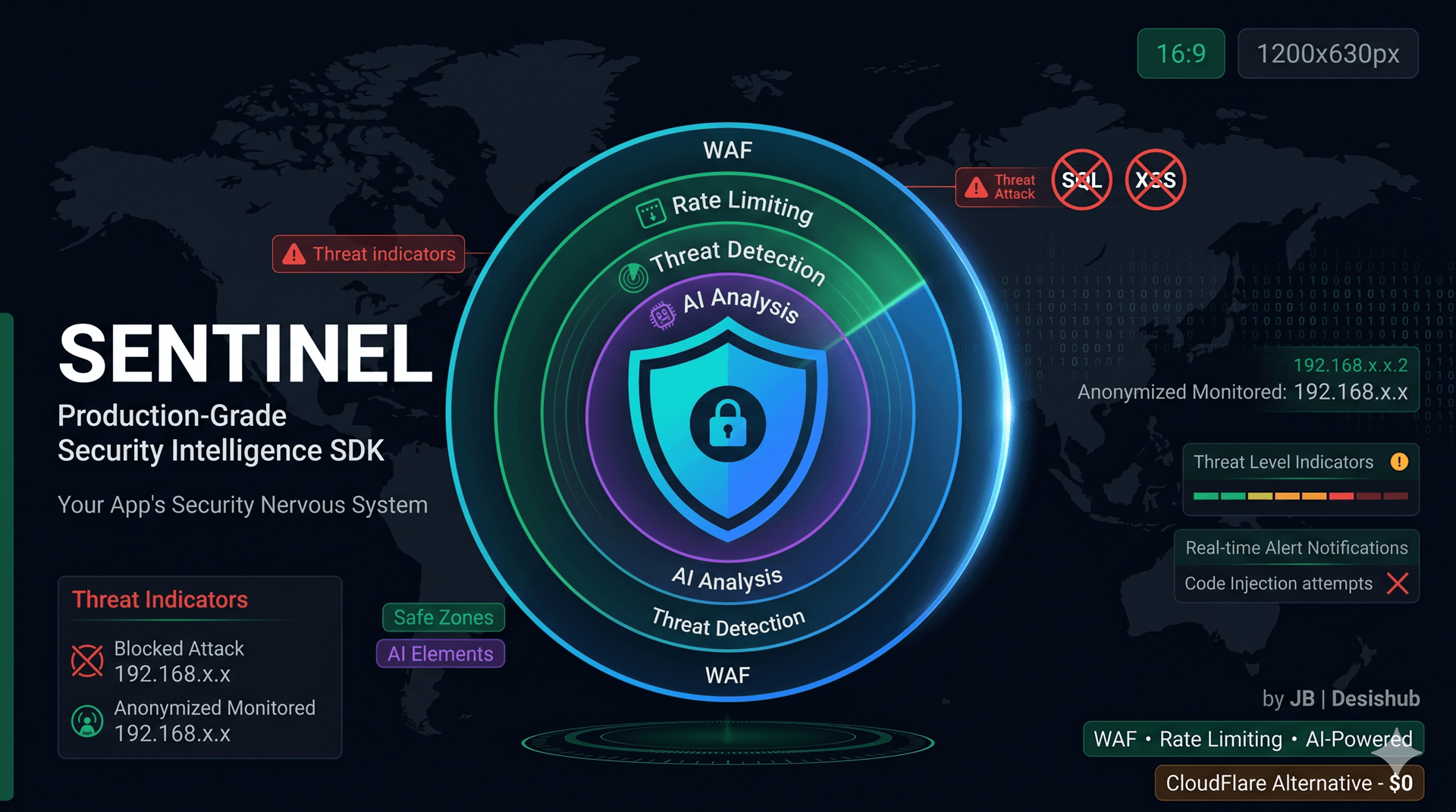
What It Is: Sentinel is a drop-in security intelligence SDK for Go applications that provides WAF protection, rate limiting, threat detection, audit logging, anomaly detection, AI-powered analysis, and an embedded React dashboard.
The Problem It Solves
Most developers ship APIs without proper security layers. Commercial WAFs cost thousands monthly, and setting up comprehensive security from scratch takes weeks. Sentinel gives you enterprise-grade security in one function call.
Key Features
Web Application Firewall (WAF)
- SQL injection detection
- XSS protection
- Path traversal blocking
- Command injection prevention
- SSRF and XXE detection
- Custom rule engine
- Configurable strictness levels
Rate Limiting
- Per-IP, per-user, per-route, and global limits
- Sliding window algorithm
- Redis-backed state
- Automatic lockouts
Threat Intelligence
- Automatic threat actor profiling
- Risk scoring algorithm
- IP reputation checking
- Geographic attribution
- Attack pattern detection
Anomaly Detection
- Statistical anomaly detection
- Configurable sensitivity
- Behavioral analysis
- Baseline learning
Auth Shield
- Brute-force protection
- Automatic account lockouts
- Failed attempt tracking
- Suspicious login alerts
Audit Logging
- GORM plugin for automatic change tracking
- Full audit trail
- User action attribution
- Compliance reporting
AI Analysis (Optional)
- Claude, OpenAI, or Gemini integration
- Natural language threat queries
- Automated threat analysis
- Security recommendations
Dashboard
- Embedded React SPA
- 12 pages including threats, actors, WAF, analytics
- Real-time WebSocket updates
- Compliance reports (GDPR, PCI-DSS, SOC 2)
Installation & Basic Usage
package main

import (
    sentinel "github.com/MUKE-coder/sentinel"
    "github.com/gin-gonic/gin"
)

func main() {
    r := gin.Default()

    // One line for complete security
    sentinel.Mount(r, nil, sentinel.Config{})

    r.GET("/api/hello", func(c *gin.Context) {
        c.JSON(200, gin.H{"message": "Hello, World!"})
    })

    r.Run(":8080")
    // Dashboard: http://localhost:8080/sentinel/ui
    // Default login: admin / sentinel
}Full Configuration Example
config := sentinel.Config{
    Dashboard: sentinel.DashboardConfig{
        Username: "admin",
        Password: "s3cur3-p4ss!",
    },

    WAF: sentinel.WAFConfig{
        Enabled: true,
        Mode: sentinel.ModeBlock, // or ModeMonitor
        Rules: sentinel.RuleSet{
            SQLInjection: sentinel.RuleStrict,
            XSS: sentinel.RuleStrict,
            PathTraversal: sentinel.RuleStrict,
        },
        CustomRules: []sentinel.WAFRule{
            {
                ID: "block-wp-admin",
                Pattern: `(?i)/(wp-admin|phpmyadmin)`,
                Severity: sentinel.SeverityHigh,
                Action: "block",
            },
        },
    },

    RateLimit: sentinel.RateLimitConfig{
        Enabled: true,
        ByIP: &sentinel.Limit{
            Requests: 100,
            Window: 1 * time.Minute,
        },
        ByRoute: map[string]sentinel.Limit{
            "/api/login": {
                Requests: 5,
                Window: 15 * time.Minute,
            },
        },
    },

    Alerts: sentinel.AlertConfig{
        Slack: &sentinel.SlackConfig{
            WebhookURL: os.Getenv("SLACK_WEBHOOK"),
        },
    },

    AI: &sentinel.AIConfig{
        Provider: sentinel.Claude,
        APIKey: os.Getenv("ANTHROPIC_API_KEY"),
    },
}

sentinel.Mount(r, db, config)GORM Audit Plugin
import sentinelgorm "github.com/MUKE-coder/sentinel/gorm"

pipe := pipeline.New(100)
pipe.Start(2)
db.Use(sentinelgorm.New(pipe))

// Automatically tracks all Create, Update, Delete operations
// Links changes to request context (IP, user, user agent)Use Cases
- API Protection: Block attacks before they reach your handlers
- Financial Apps: PCI-DSS compliance reporting
- Healthcare: HIPAA audit trails
- E-Commerce: Prevent fraud and card testing
- Admin Panels: Brute-force protection
- SOC 2 Compliance: Built-in compliance reporting
Security Features Compared
vs Commercial WAFs:
- CloudFlare WAF: $20-200/mo → Sentinel: $0
- AWS WAF: $5-50/mo + request fees → Sentinel: $0
- Sucuri: $200-500/mo → Sentinel: $0
What You Get:
- WAF protection
- Rate limiting
- Threat profiling
- Anomaly detection
- Audit logging
- Security dashboard
- AI-powered analysis
- Compliance reports
GitHub: https://github.com/MUKE-coder/sentinel
6. GORM Studio - Visual Database Browser
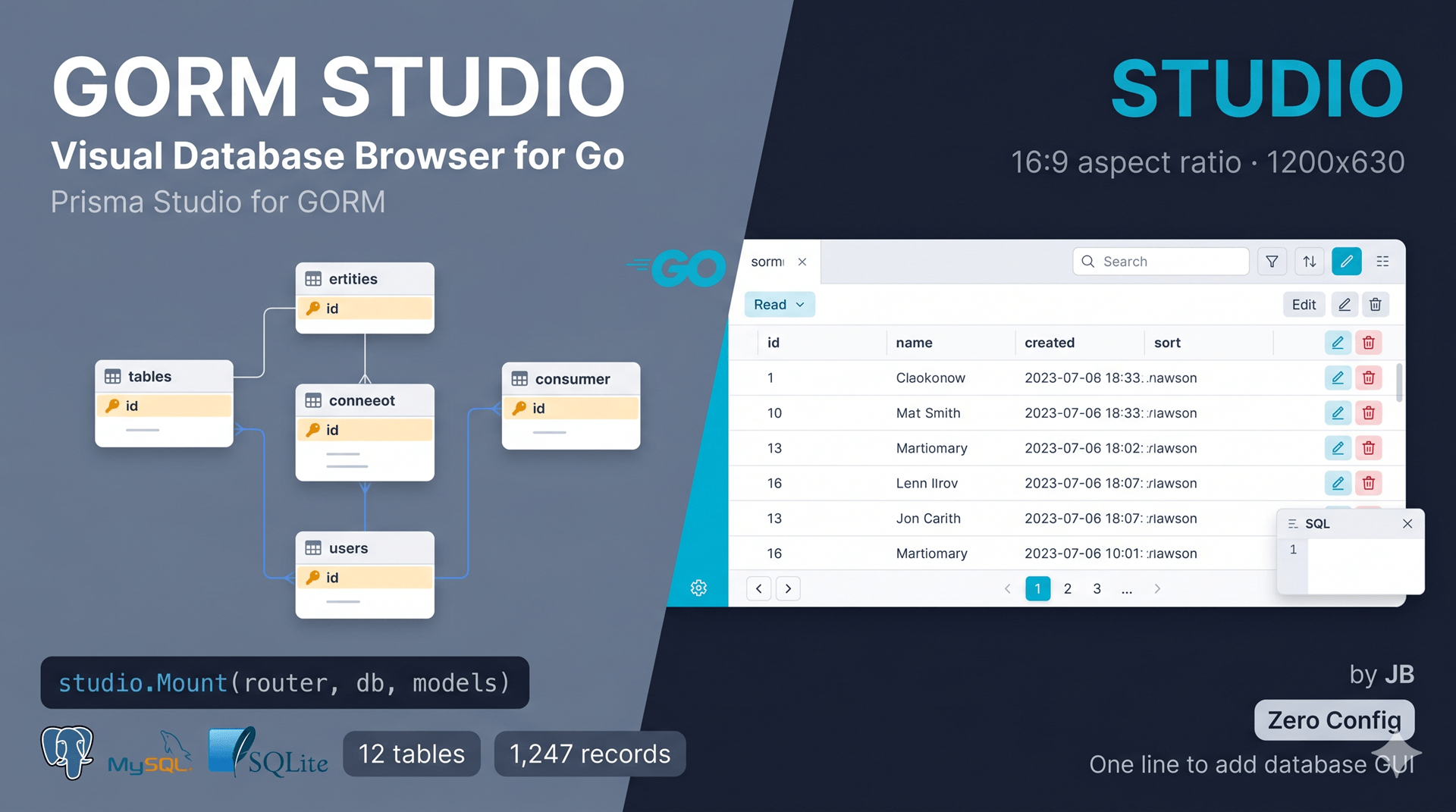
What It Is: GORM Studio is a Prisma Studio-like visual database browser and editor for Go applications using GORM. Browse, filter, create, edit, and delete records through a sleek web UI.
The Problem It Solves
Go developers using GORM don't have a good visual database tool like Prisma Studio for TypeScript. GORM Studio fills this gap by providing a production-ready database GUI that mounts directly in your Gin app.
Key Features
Schema Discovery
- Introspects database schema automatically
- Parses GORM model structs via reflection
- Detects relationships and foreign keys
- Shows column types, constraints, indexes
Data Management
- Paginated data grid with sorting
- Full-text search across all text columns
- Create, edit, delete records
- Bulk operations (multi-select deletion)
- Modal forms for record editing
Relationship Navigation
- Visual relationship links between tables
- Click foreign keys to navigate related records
- Automatic join queries
Raw SQL Editor
- Execute any SQL query
- Syntax highlighting
- Query history
- Results as tables
Zero Configuration
Just pass your *gorm.DB and model list — that's it.
Installation & Usage
Install the package:
go get github.com/MUKE-coder/gorm-studio/studioMount in Gin app:
package main

import (
    "github.com/MUKE-coder/gorm-studio/studio"
    "github.com/gin-gonic/gin"
    "gorm.io/gorm"
    "github.com/glebarez/sqlite"
)

type User struct {
    ID    uint   `gorm:"primarykey"`
    Name  string `gorm:"size:100"`
    Email string `gorm:"size:200;uniqueIndex"`
}

func main() {
    db, _ := gorm.Open(sqlite.Open("app.db"), &gorm.Config{})
    db.AutoMigrate(&User{})

    router := gin.Default()

    // One line to add database GUI
    studio.Mount(router, db, []interface{}{&User{}})

    router.Run(":8080")
    // Studio: http://localhost:8080/studio
}Configuration Options
studio.Mount(router, db, models, studio.Config{
    Prefix: "/studio",        // URL prefix
    ReadOnly: false,          // Disable writes
    DisableSQL: false,        // Disable SQL editor
})Supported Databases
- ✅ SQLite
- ✅ PostgreSQL
- ✅ MySQL / MariaDB
API Endpoints
| Method | Endpoint | Description |
|---|---|---|
| GET | /studio | Web UI |
| GET | /studio/api/schema | Get schema |
| POST | /studio/api/schema/refresh | Re-introspect |
| GET | /studio/api/tables/:table/rows | List rows |
| GET | /studio/api/tables/:table/rows/:id | Get row |
| POST | /studio/api/tables/:table/rows | Create row |
| PUT | /studio/api/tables/:table/rows/:id | Update row |
| DELETE | /studio/api/tables/:table/rows/:id | Delete row |
| POST | /studio/api/tables/:table/rows/bulk-delete | Bulk delete |
| POST | /studio/api/sql | Execute SQL |
Use Cases
- Development: Visual database inspection during development
- Debugging: Quickly check data without writing queries
- Admin Tools: Give non-developers a GUI for data management
- Data Entry: Manual data entry without SQL knowledge
- Testing: Verify database state during testing
Security Considerations
GORM Studio is a development tool. For production:
- Add authentication middleware
- Use
ReadOnly: true - Use
DisableSQL: true - Restrict via network policies
Why It's Useful
Before GORM Studio:
# SSH into server
psql -U user -d database
SELECT * FROM users WHERE email = 'test@example.com';
UPDATE users SET name = 'New Name' WHERE id = 123;With GORM Studio:
- Open browser to
/studio - Click table → see data
- Edit inline → saved automatically
- Visual relationships → click to navigate
GitHub: https://github.com/MUKE-coder/gorm-studio
7. VibeKit - Build Production Apps with Claude Code
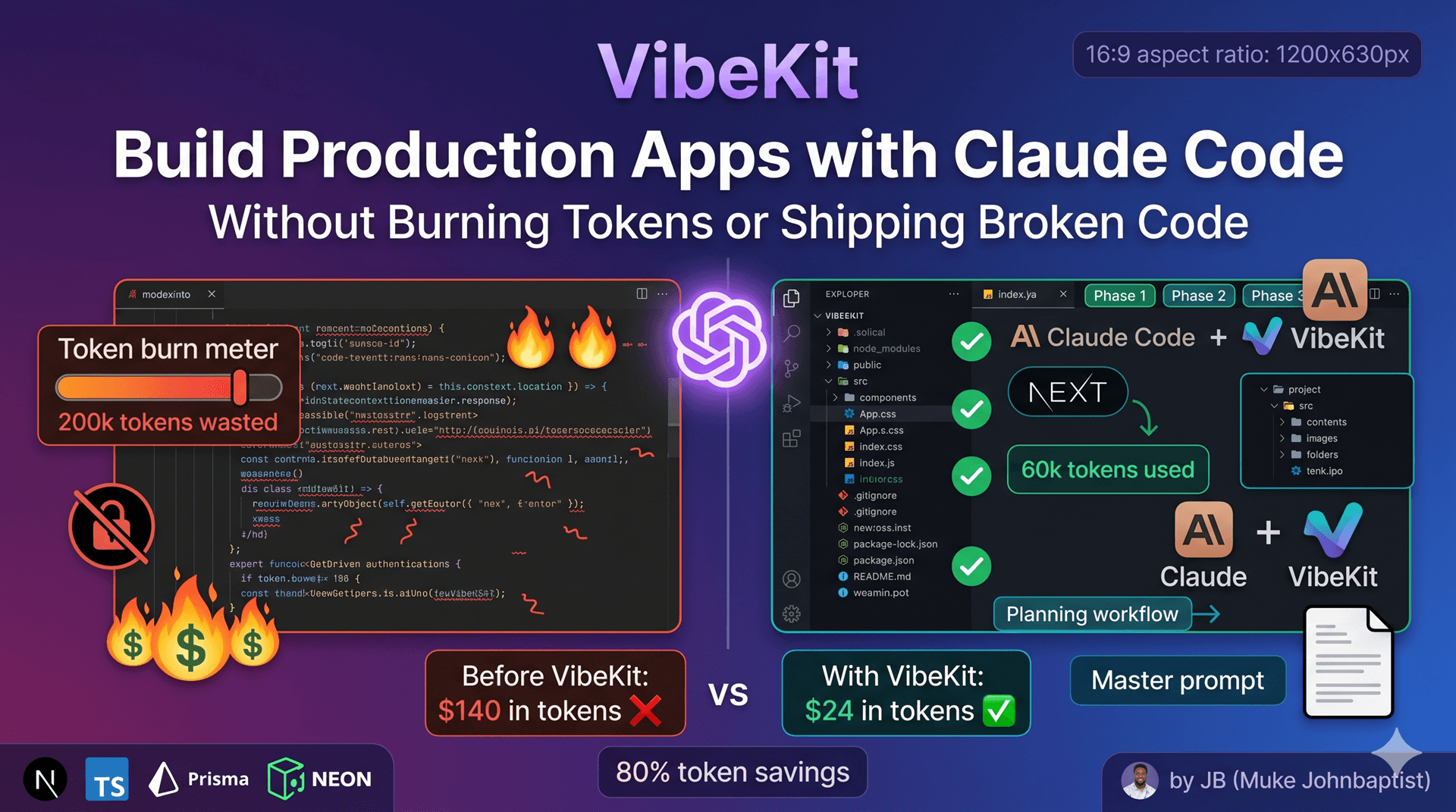
What It Is: VibeKit is a structured framework for building production-grade Next.js applications using Claude Code. It's not code — it's a planning system, master prompt, and set of guides that prevent you from shipping broken AI-generated apps.
The Problem It Solves
Developers using AI coding tools (Claude Code, v0, Lovable) face common issues:
- Burning through $200 in tokens with no working app
- Shipping broken authentication
- Getting stuck on database migrations
- Deploying apps that crash in production
- No clear structure or planning workflow
VibeKit gives you a battle-tested framework that makes Claude Code write production-quality code.
What VibeKit Provides
1. Master Prompt A comprehensive coding standard that instructs Claude Code on:
- Which tech stack to use (Next.js 16, Prisma, Neon, Better Auth)
- How to structure files and folders
- Error handling patterns
- Database schema best practices
- Security considerations
- Deployment procedures
2. Planning Workflow Paste one prompt into Claude.ai, answer questions, get 3 files:
project-description.md- Complete app specproject-phases.md- Build blueprint with phasesprompt.md- The prompt for Claude Code
3. Reference Guides
- Database guide (Neon, Prisma, migrations)
- Deployment guide (Vercel, DNS, SSL)
- Environment variables setup
- Design system principles
- Monetization guide (Stripe integration)
- Troubleshooting common issues
4. Component Registry Integration Automatically uses JB's 30+ production-ready components instead of writing from scratch.
The Standard Tech Stack
Why These Choices:
| Technology | Why |
|---|---|
| Next.js 16 | Latest App Router, React 19, RSC |
| TypeScript | Type safety, better DX |
| Neon | Serverless Postgres, free tier, instant setup |
| Prisma v7 | Type-safe ORM, AI understands schema |
| Better Auth | Secure, extensible, Prisma-compatible |
| React Query | Caching, loading states built-in |
| Zod | Client and server validation |
| Tailwind v4 | AI knows these patterns |
| shadcn/ui | Production-ready components |
| Cloudflare R2 | S3-compatible storage, free tier |
| Resend | Email with React Email templates |
| Stripe | Industry standard payments |
| Vercel | Zero-config deployment |
How to Use VibeKit
Step 1: Plan Your Project
Copy CLAUDE_PROMPT.md → Paste into Claude.ai
Add your idea:
"I want to build a school management system where teachers
manage students, track attendance, and parents pay fees."Step 2: Answer Questions Claude asks 6-10 questions about:
- User roles
- Key features
- Data models
- Payment requirements
- Design preferences
Step 3: Get Project Files Claude generates:
- Complete project description
- Phase-by-phase build plan
- Prompt for Claude Code
Step 4: Build with Claude Code
# Copy master_prompt.md to project root
# Open Claude Code
# Paste prompt.md
# Claude Code builds phase by phase
# Confirm after each phaseExample: School Management System
Planning Output:
PROJECT PHASES:
Phase 1: Foundation (Auth, DB, Basic UI)
Phase 2: Student Management (CRUD, Classes, Attendance)
Phase 3: Parent Portal (View Progress, Fees, Communication)
Phase 4: Payment Integration (Stripe, Fee Tracking)
Phase 5: Reports & AnalyticsClaude Code follows the plan exactly, stopping after each phase for your approval.
JB Component Registry
30 production-ready components installable with one command:
- Multi-step forms
- Data tables with sorting/filtering
- Better Auth UI (complete auth flow)
- Stripe checkout UI
- File storage with Cloudflare R2
- Shopping cart (Zustand)
- Offline sync (IndexedDB + Prisma)
- Currency input
- Tag input
- Star ratings
- And 20 more...
Example:
pnpm dlx shadcn@latest add https://jb.desishub.com/r/data-table.json
Use Cases
- SaaS Products: Build and ship MVPs in days
- Client Projects: Deliver professional apps without boilerplate
- Side Projects: Turn ideas into working apps fast
- Learning: See how production apps should be structured
- Rapid Prototyping: Validate ideas before heavy investment
What Makes It Different
vs Just Using Claude Code:
- VibeKit: Structured planning → predictable output
- Raw Claude Code: Random output → wasted tokens
vs AI App Builders (v0, Lovable):
- VibeKit: Full control, any stack, production-ready
- App Builders: Vendor lock-in, limited customization
vs Manual Coding:
- VibeKit: 10x faster with AI + framework
- Manual: Weeks of boilerplate setup
Token Economy
Without VibeKit:
- 200k tokens to build features
- 100k tokens fixing broken auth
- 50k tokens debugging database issues
- Total: 350k tokens = $70-140
With VibeKit:
- 50k tokens (planned build)
- 10k tokens (minor fixes)
- Total: 60k tokens = $12-24
80% token savings because the framework prevents mistakes.
Troubleshooting Guide Included
Common issues and fixes:
- Prisma migration failures
- Authentication not working
- Environment variables missing
- Database connection errors
- Deployment failures
- Type errors from AI code
GitHub: https://github.com/MUKE-coder/vibekit
8. JB Component Registry - 30 Production-Ready Components
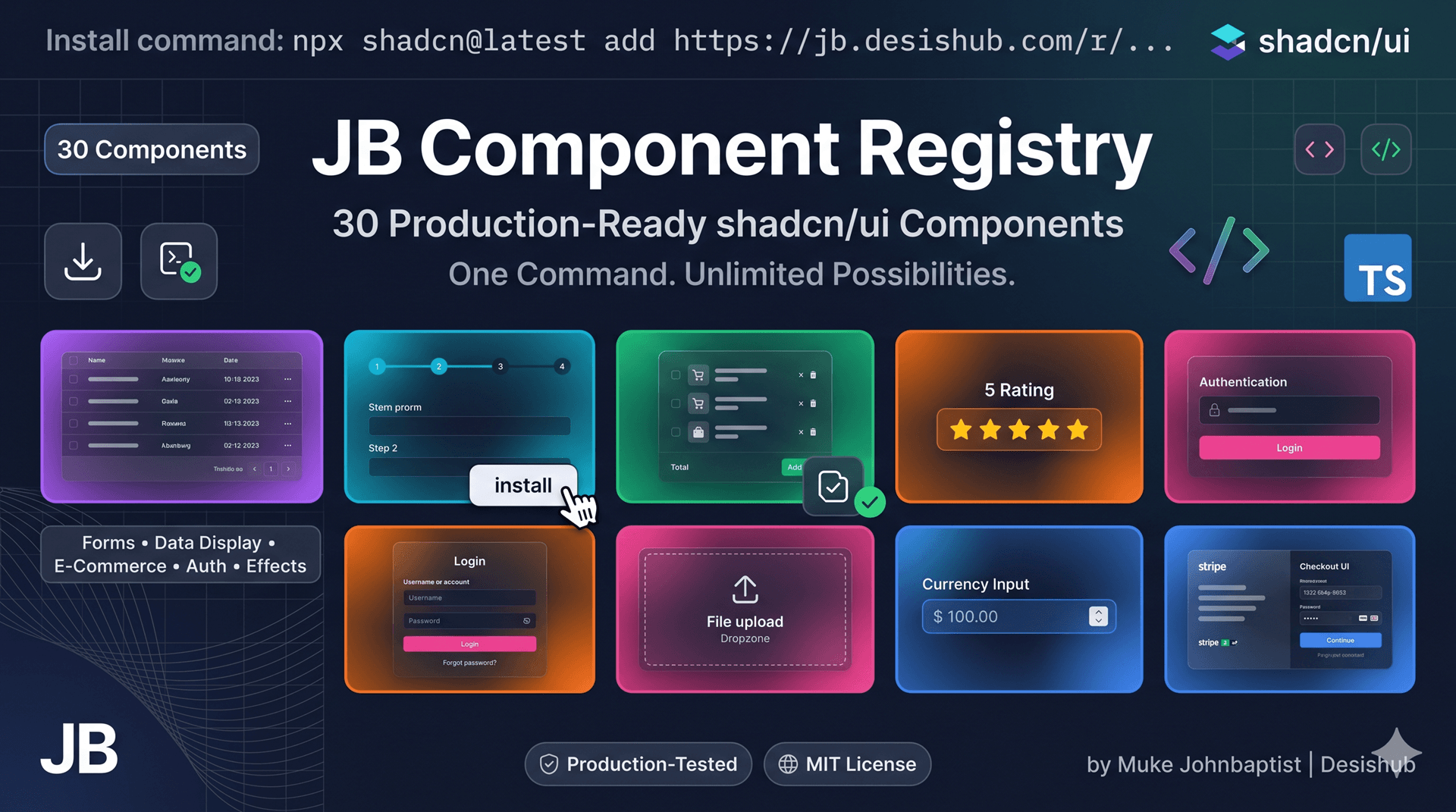
What It Is: A collection of 30 production-ready shadcn/ui-compatible components that you install with one command. No copying and pasting code — just run the install command and import.
The Problem It Solves
Building UI components from scratch wastes time. AI tools hallucinate component APIs. Copy-pasting from shadcn/ui examples requires manual setup. JB Component Registry gives you tested, production-ready components in seconds.
How It Works
Standard shadcn pattern:
pnpm dlx shadcn@latest add https://jb.desishub.com/r/[component-name].json
Example:
# Install data table
npx shadcn@latest add https://jb.desishub.com/r/data-table.json

# Use in code
import { DataTable } from "@/components/data-table/data-table"
<DataTable columns={columns} data={users} searchKey="name" />Component Categories
Forms & Inputs (6)
- Currency Input - Formatted currency with separators
- Tag Input - Dynamic tags with validation
- Searchable Select - Filterable dropdown
- Quantity Control - Increment/decrement spinner
- Star Rating - Interactive ratings
- Multi-Step Form - Wizard with progress
Data Display (6)
- Data Table - Advanced table (TanStack + shadcn)
- Editable Cell - Inline editing
- Testimonial - Customer feedback cards
- Testimonial Spotlight - With mouse-tracking glow
- Work Experience - Timeline display
- GitHub Stars - Live star count
E-Commerce (2)
- Zustand Cart - Complete shopping cart
- Stripe UI - Full checkout flow
Authentication (1)
- Better Auth UI - Complete auth system
File Management (2)
- File Storage UI - S3/R2 uploads
- Offline Sync - IndexedDB + Prisma
Visual Effects (5)
- Glow Card Grid - Glowing borders
- Shimmering Text - Light sweep animation
- Writing Effect - Apple-style handwriting
- Scroll Fade - Fade edges on scroll
- Slide to Unlock - iPhone-style gesture
Utilities (3)
- Copy Button - Clipboard with feedback
- Middle Truncation - Truncate preserving ends
- Consent Manager - Cookie consent banner
Full-Stack Blocks (4)
- Scalar API Docs - Interactive API documentation
- MDX Blog - File-based blog system
- DGateway Shop - E-commerce with Mobile Money
- Website UI - Complete marketing site template
Featured Components Deep Dive
Data Table
import { DataTable } from "@/components/data-table/data-table"
import { SortableColumn, DateColumn, ActionColumn } from "@/components/data-table/column-helpers"

const columns = [
  SortableColumn("name", "Name"),
  DateColumn("createdAt", "Created"),
  ActionColumn({ onEdit, onDelete })
]

<DataTable
  columns={columns}
  data={users}
  searchKey="name"
/>Features:
- Search, sort, pagination
- Column visibility toggle
- Row selection
- TanStack Table v8
- Type-safe
Better Auth UI
Complete authentication system:
- Login / Signup pages
- Email verification
- Password reset with OTP
- OAuth (Google, GitHub)
- Session management
- Protected routes
Stripe UI
Full checkout implementation:
- Payment Element
- Product grid
- Shopping cart
- Order confirmation
- Server-side API routes
- Webhook handling
File Storage UI
S3-compatible file uploads:
- Drag and drop
- Multiple files
- Upload progress
- File preview
- Cloudflare R2 or AWS S3
- Presigned URLs
Use Cases by Project Type
SaaS Applications:
- Data tables for admin dashboards
- Multi-step forms for onboarding
- Better Auth for authentication
- Stripe UI for billing
E-Commerce:
- Zustand Cart for shopping
- Stripe UI for checkout
- Star ratings for reviews
- Product image uploads
Content Sites:
- MDX Blog for articles
- Testimonials for social proof
- GitHub Stars for open source
- Newsletter signup
Admin Panels:
- Data tables with filters
- Editable cells for quick updates
- File uploads for media
- User management
Installation Requirements
- Next.js 14+
- React 18+
- Tailwind CSS
- shadcn/ui initialized (
npx shadcn@latest init)
For AI Tools
VibeKit's master prompt instructs Claude Code to use these components automatically. Instead of writing components from scratch, Claude Code installs from the registry.
Example prompt behavior:
User: "Add a data table showing all users"

Claude Code:
1. Runs: npx shadcn@latest add https://jb.desishub.com/r/data-table.json
2. Creates columns definition
3. Fetches user data
4. Renders <DataTable />Comparison with Alternatives
vs shadcn/ui:
- shadcn: Base components (button, input)
- JB Registry: Complete features (data table, auth, checkout)
vs UI libraries (MUI, Chakra):
- UI libraries: Heavy bundles, vendor lock-in
- JB Registry: Source code in your repo, full control
vs Building from Scratch:
- From scratch: Days/weeks
- JB Registry: Seconds
Why It Matters
Time Saved:
- Data table: 8 hours → 2 minutes
- Auth system: 40 hours → 5 minutes
- Shopping cart: 16 hours → 3 minutes
- File uploads: 12 hours → 5 minutes
Quality:
- Production-tested
- TypeScript-first
- Accessible (WCAG)
- Responsive
- Dark mode support
Registry URL: https://jb.desishub.com/blog/jb-component-registry-complete-reference
Conclusion
These 8 open source projects by JB solve real problems that developers face daily. From full-stack frameworks to security SDKs, from deployment platforms to component libraries, each tool is production-ready, well-documented, and actively maintained.
Why These Projects Matter
- Developer Velocity: Ship faster with pre-built infrastructure
- Cost Savings: Avoid expensive SaaS subscriptions
- Complete Ownership: Self-host everything on your servers
- Production Quality: Battle-tested in real applications
- African Innovation: Built from Uganda, used globally
Getting Started
Pick the tool that matches your current need:
- Building a full-stack app? → Start with Grit
- Need monitoring? → Add Pulse
- Running a creator business? → Deploy GritCMS
- Hosting multiple clients? → Use Orbita
- Securing your API? → Install Sentinel
- Need database GUI? → Mount GORM Studio
- Using AI coding tools? → Follow VibeKit
- Building UI? → Install from JB Component Registry
Connect with JB
- Website: https://jb.desishub.com
- GitHub: https://github.com/MUKE-coder
- YouTube: https://youtube.com/@JBWEBDEVELOPER (14.7K subscribers)
- Twitter/X: @MJohnbaptist
- Company: Desishub Technologies
- Location: Kampala, Uganda
Built by an African developer for the world.
Every project is MIT-licensed, production-ready, and backed by real-world usage. Star them on GitHub, contribute if you can, and most importantly — build something amazing with them.
Article by: Muke Johnbaptist (JB)
Date: April 14, 2026
License: MIT for all projects
From Uganda with code 🇺🇬